QR Code Generator
Turn a link, Wi-Fi login, or contact card into a QR code without the data ever leaving your browser.
Generator
Why this one exists
Most QR generators ask you to type a Wi-Fi password into a stranger’s server, then hand back an image that stops working the day their trial expires. The encoding itself is a solved problem that runs fine on the device already in front of you.
So this one does the whole job in the browser tab above. What you type is never uploaded, and the code you download keeps pointing wherever you told it to point, because there is no redirect service in the middle that could go away.
How it works
- Pick what goes in the code: a website address, plain text, a Wi-Fi network, an email, a phone number, an SMS, or a contact card.
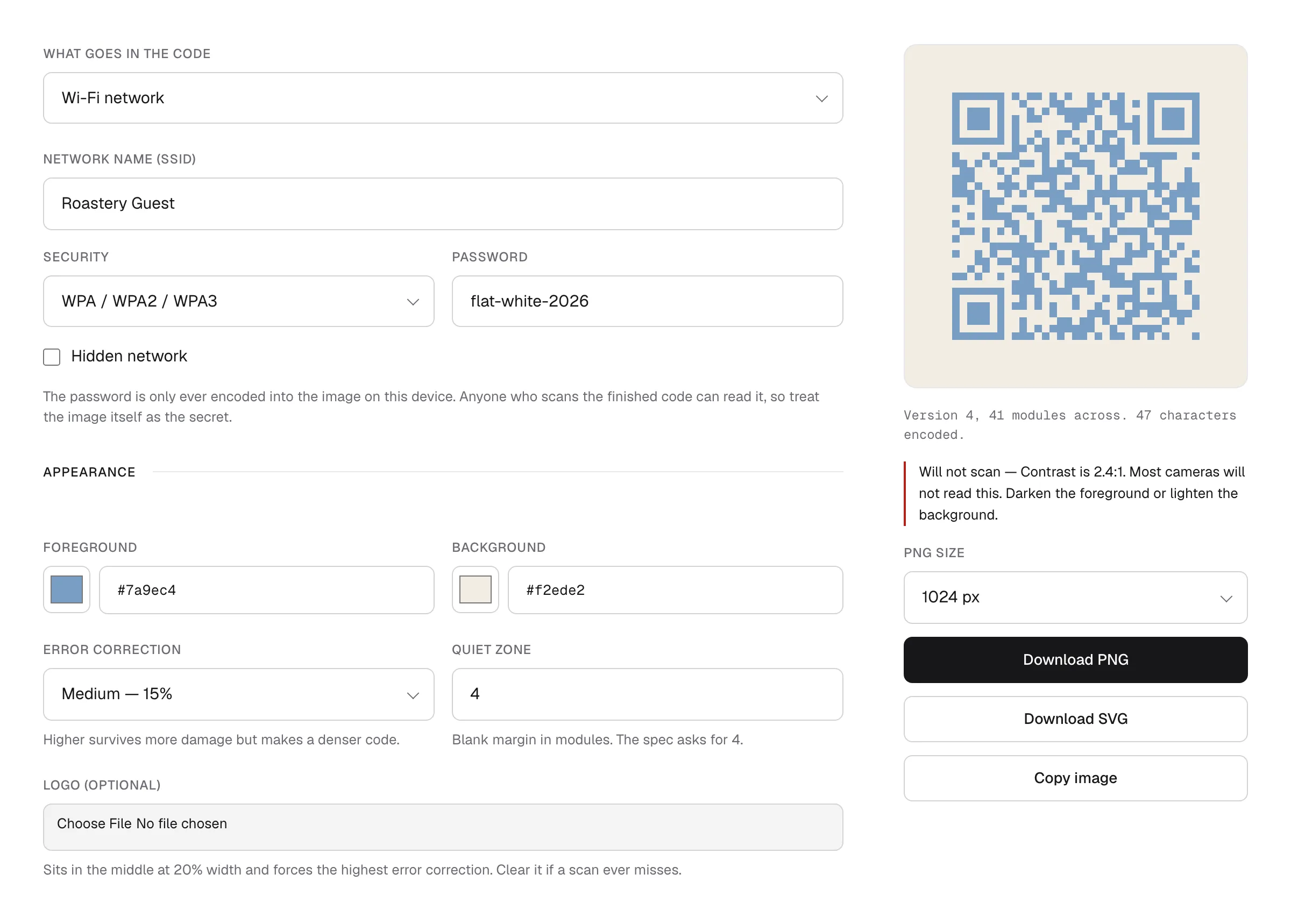
- Fill in the fields. The code redraws as you type, and the line underneath tells you which QR version you ended up on and how many characters fit.
- Download it as a PNG at up to 2048 px, or as an SVG for print. You can also copy the image straight to your clipboard.
Features
- What you type is not sent anywhere. The encoder runs on your device. Wi-Fi passwords and phone numbers stay in the tab, which is the main reason this exists.
- It warns you before you print. Low contrast is the usual reason a QR code fails, so the colour pair gets checked and flagged when a camera is likely to miss it. Light-on-dark gets its own warning, since older scanners tend to choke.
- Logos raise the error correction automatically. Drop an image in the middle and the code switches to the highest correction level and clears the modules behind it, so the extra decoration does not cost you a scan.
- Vector output, not just pixels. The SVG is a single path, which stays sharp on a poster and stays small enough to hand to a printer.
- It tells you when the data will not fit. Fill in a whole contact card and you will eventually pass what a QR code can hold. You get a message rather than a broken image.
FAQ
Does it cost anything? No, and there is no account to make. That is how it stands today rather than a promise about next year. If that ever changes, this page says so before it does.
Do the codes expire? No. The address is encoded directly into the image, so there is no link of mine sitting between the scan and the destination. Dynamic codes, the kind you can re-point later, need a server to redirect through, and this tool deliberately has none.
Can anyone read the Wi-Fi password out of the code? Yes, and that is how it is supposed to work. Anyone who can scan the image can join the network, so treat the finished picture the way you would treat the password written on a card.
Is anything about me collected? Not by the tool. It has no server to send anything to, so what you type never leaves the tab. The site around it counts page views with a cookieless analytics tool, the same on this page as on every other one, and the privacy notice says what that involves.
How do I know the code is right? Every code the tool draws is decoded again in its own test suite, so what comes out matches what you typed, escaping and all. That is not the same as your particular camera reading it off your particular paper, so scan the result once before you print a few hundred of them.